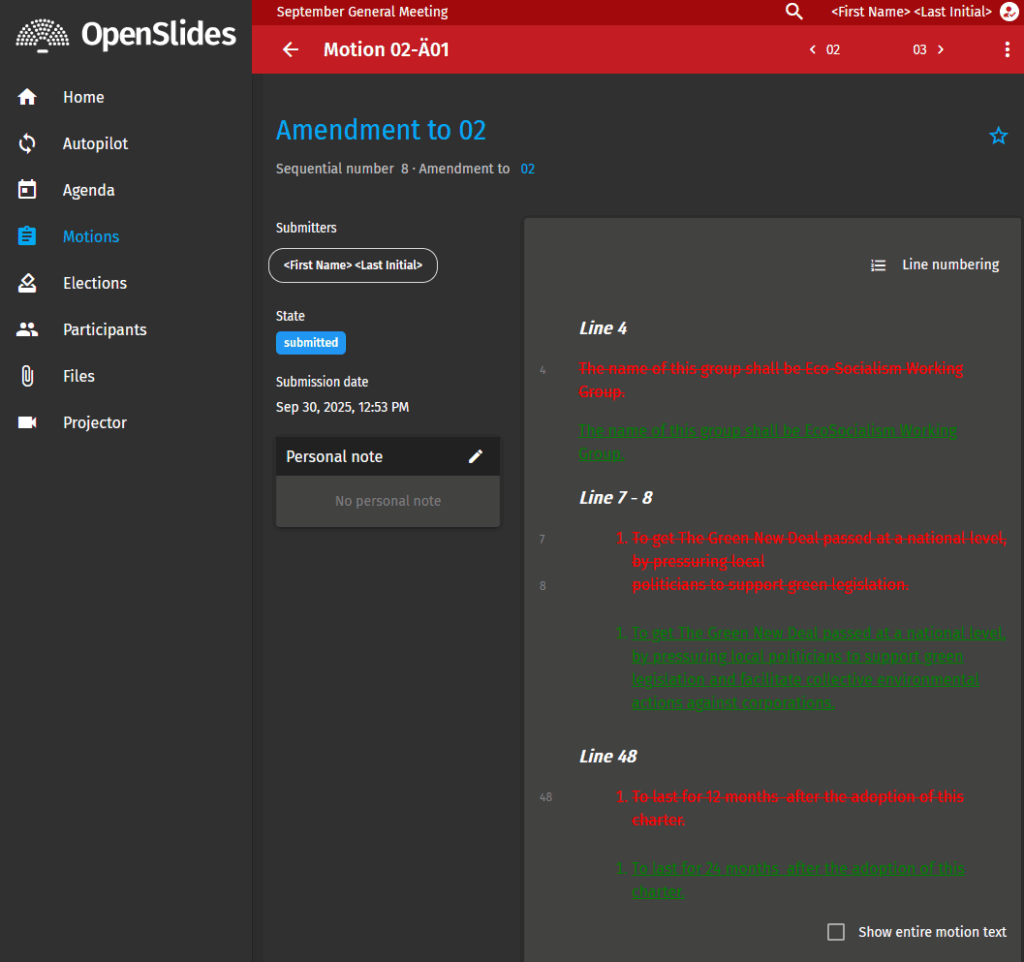
If you’d like to amend a resolution or motion in openslides, here’s how:
1. Go to Motions and select Motion to Amend
If you don’t see the menu on the left side of the screen, there’s a small arrow at the bottom left that will show/hide it.
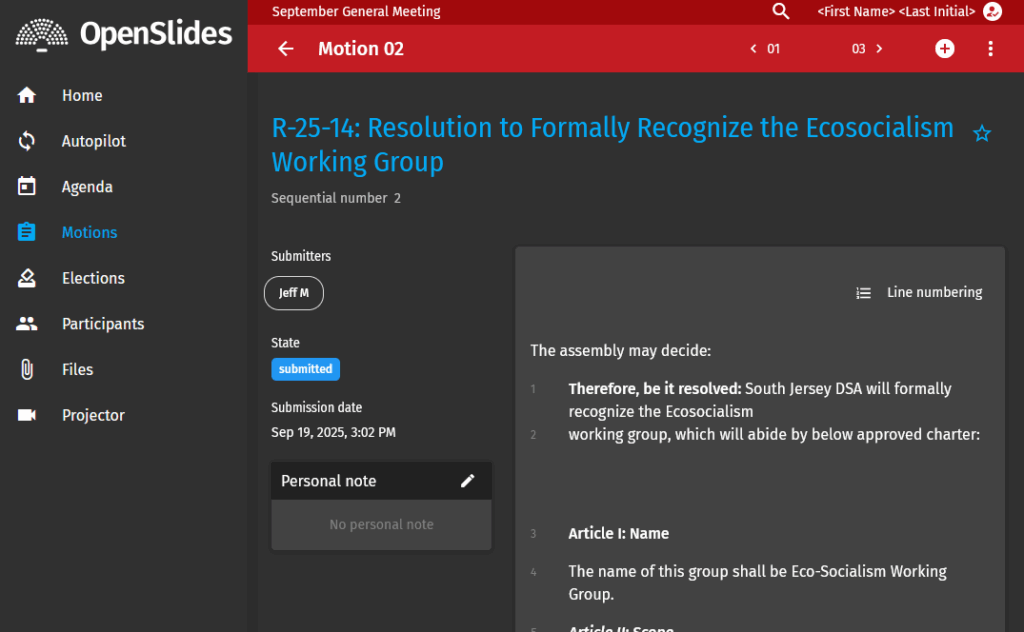
2. Click the (+) in the top right.
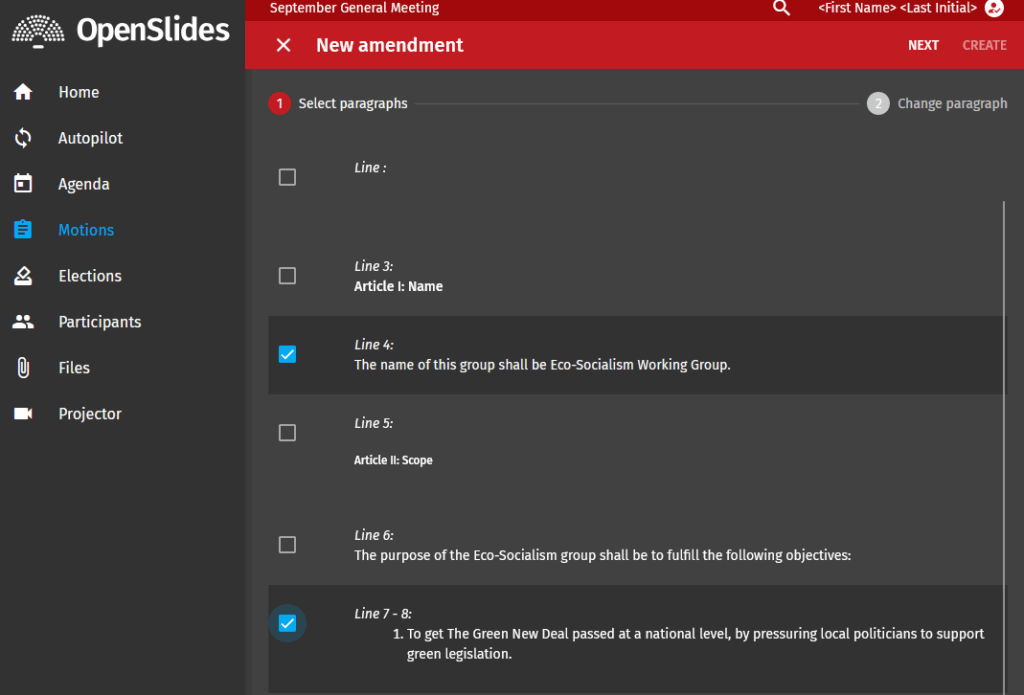
This will take you to a screen that will allow you to select what lines you’d like to amend. Select all the lines you’d like to amend and click next.
3. Make your amendment.
Change the text as you see fit to amend the motion/resolution and click Create.