SJ DSA will be moving to OpenSlides for our general meeting starting October 2025. This page should show you everything you need to know and how to participate.
If you’re looking for the OpenSlides page, click here.
1. Sign Up
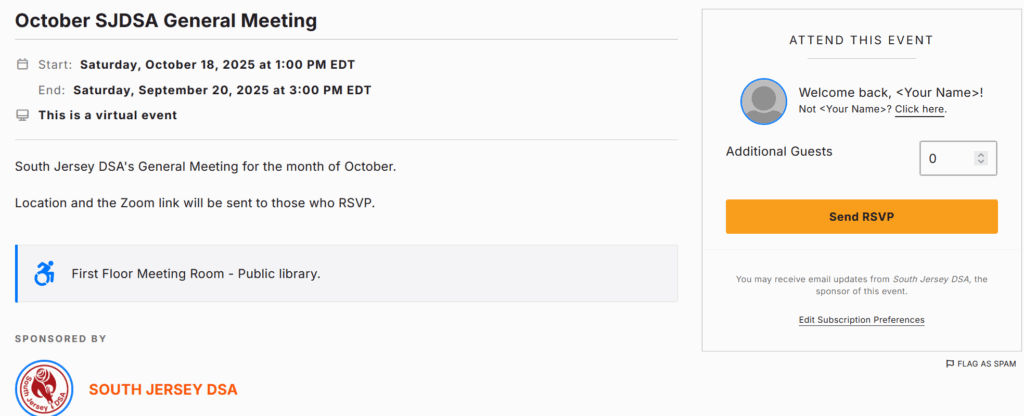
In order to access OpenSlides you must RSVP to our general meeting on Action Network.
2. Check your Email
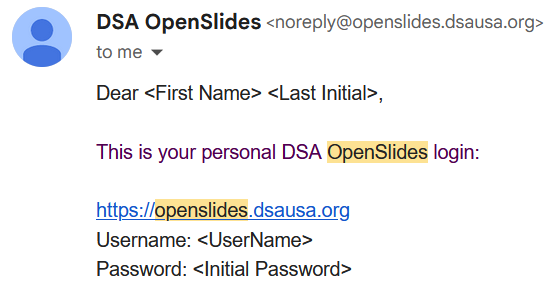
Shortly before the meeting begins, you should get an email at the address you RSVP’d with with a login and a link. This account will be what you use every month so be sure to change the password to something you will remember. You will still need to RSVP for the meeting every month or you won’t see the meeting.
Note: Both username and password are Case Sensitive. You must match capital letters exactly.
3. Select Meeting and Mark Present
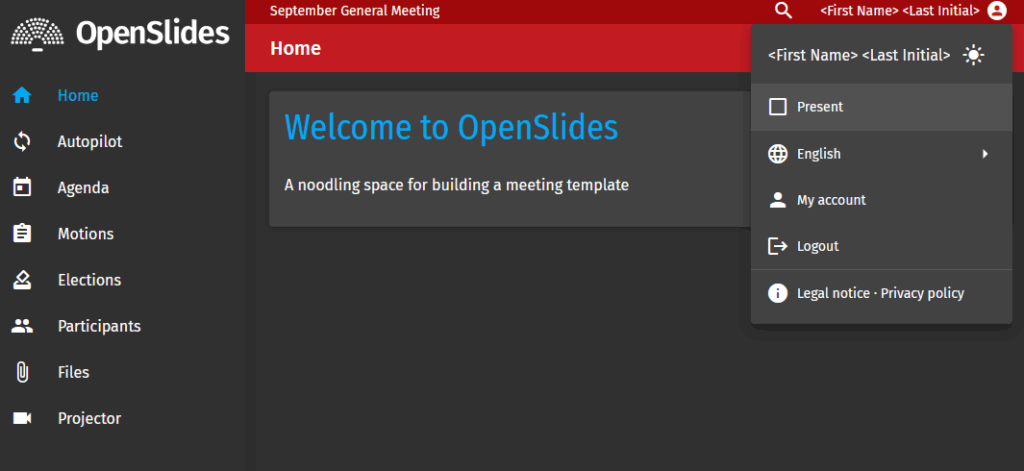
If you see multiple meetings, select the one for this month.
Once you’ve selected a meeting you can click your name in the upper-right corner and mark yourself present. This will allow you to vote and make motions.
4. Participate
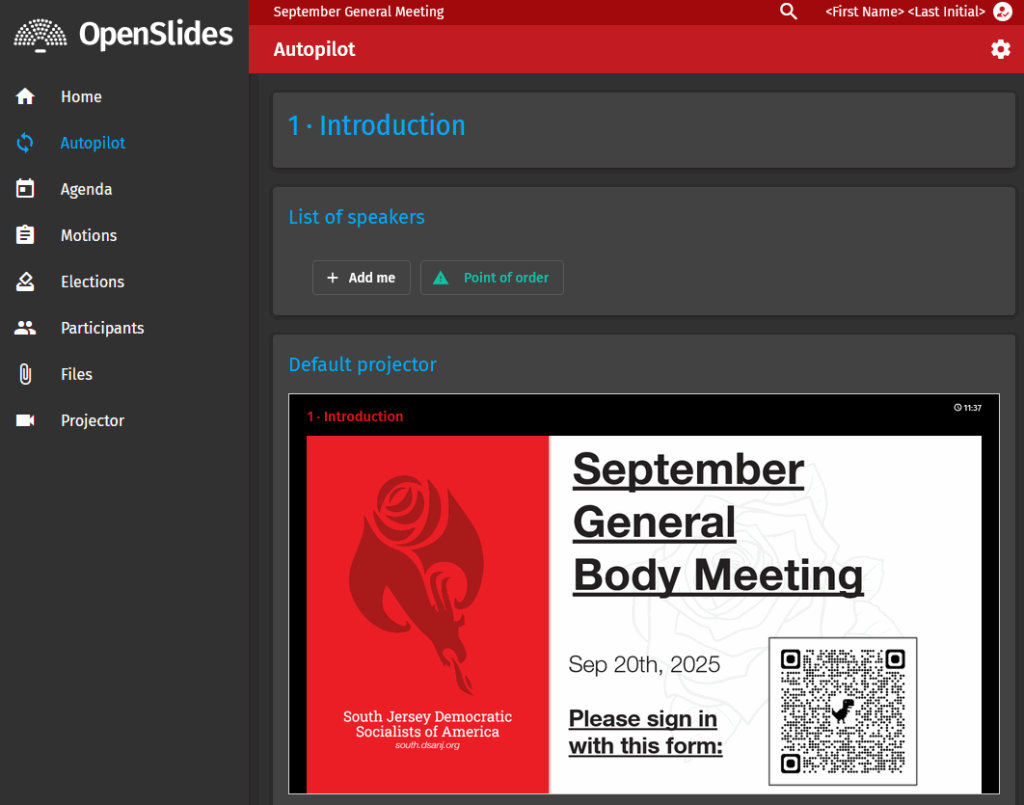
Go to the autopilot tab, this will be the best page to keep up with the meeting as it progresses.
Click “+ Add me” to join the list of speakers, you can optionally click (+) if you’re speaking for a topic or ( – ) if you’re speaking against a topic.
The Point of Order button will allow you to make quick pre-set motions (point of order, second a motion, amend, extend debate, recess, adjourn, etc.)
Further Topics
Reach out to Steering to request a topic.
| Amending a Motion | https://south.dsanj.org/openslides-topic-amendments/ |
| Creating a Motion | https://south.dsanj.org/openslides-topics-motions/ |
| Speak on a Motion | https://south.dsanj.org/openslides-topics-speak-on-a-motion/ |